The client portal for brides
Give each bride her own page with her appointments, order status, alterations, party and balance. No password needed.
Turn it on
- Owners: open Settings, Client portal, and tick Turn on the client portal.
- Choose what she sees: her appointments; her orders, where each item is and her balance; her alterations and fittings; her wedding and party; her measurements; agreements she signed.
- Write a welcome message and press Save client portal.
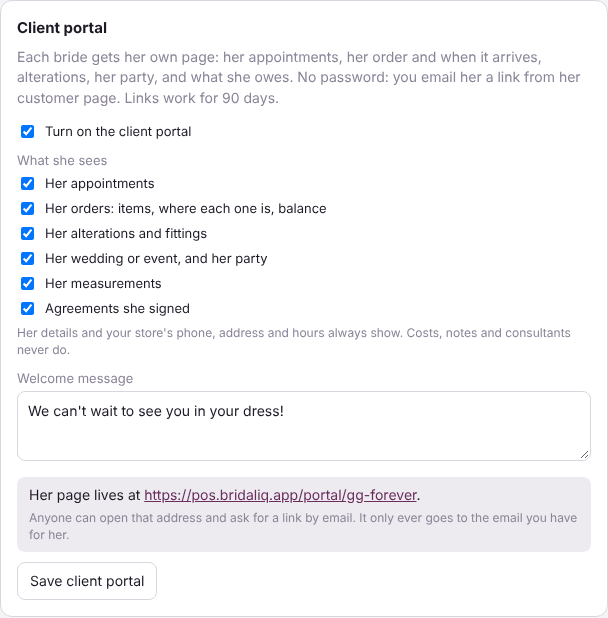
Her details and your store's phone, address and hours always show. Costs, notes and consultants never do.
Send her the link
- Open her customer page and find the Client portal card.
- Press Send portal link. It is emailed to her, so she needs an email on file.
- To text it from the store phone, press Copy and paste it into your text. It opens her page without a password, so only send it to her.
Links work for 90 days. The card shows when she last opened it. Send a new portal link sends a fresh one; Turn off her links stops the ones she has.
What she can do
- See her appointments and book another one.
- See her order, where each item is and when it should arrive, and what she still owes. To pay, she calls the store.
- See her alterations, fittings, measurements and the agreements she signed.
- Add or fix her wedding date, and update her phone, email and address and whether she wants texts and emails.
Anyone can open your portal address and ask for a link, but it only ever goes to the email you have for her.